The Guide to Digital Flashcards: From Creation to Mastery
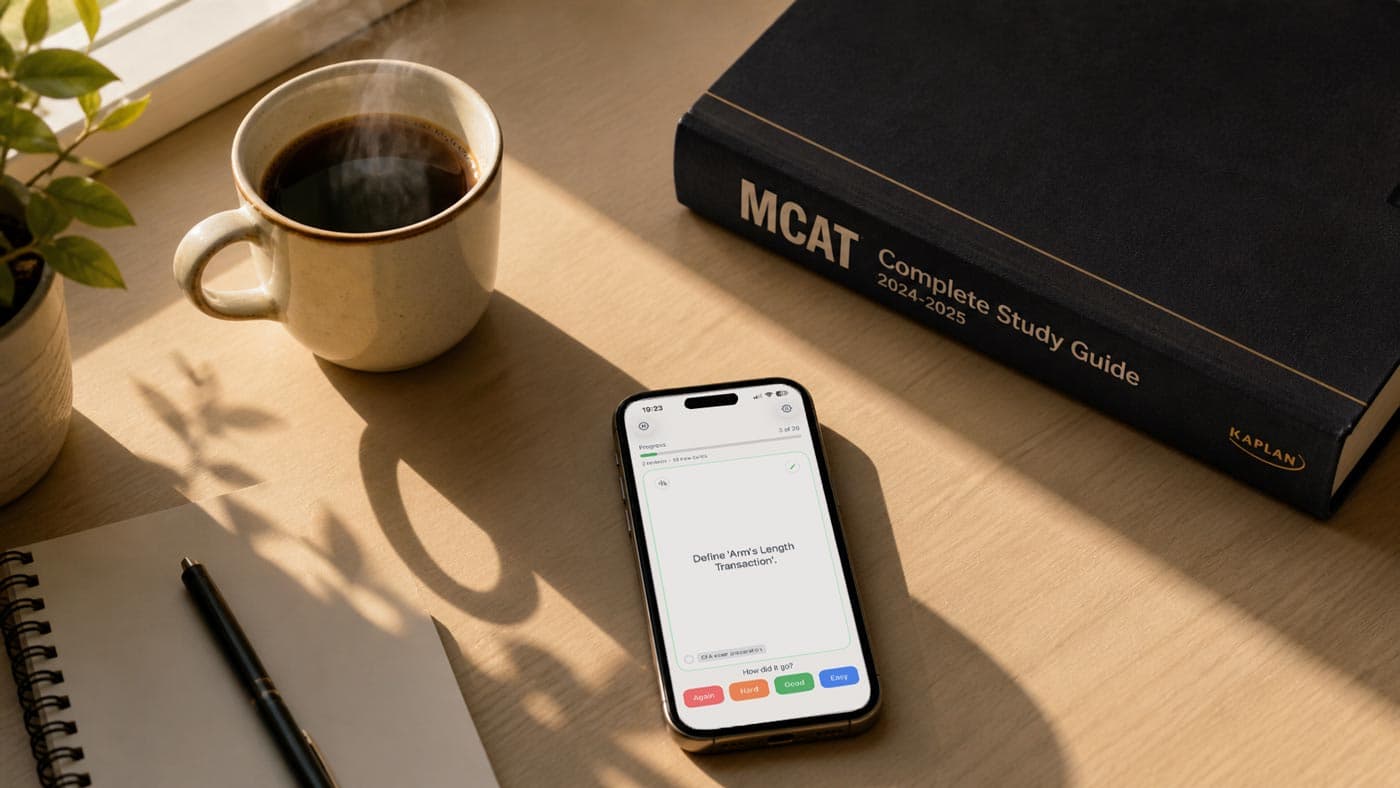
Flashcards are one of the most reliable ways to study smarter, and the shift from traditional physical index cards to digital flashcards has made them more powerful than ever. Whether you are doing language learning, preparing for a tough exam, or reviewing professional study materials anytime you have a spare moment, digital tools and AI-powered apps now turn simple flashcards into an adaptive learning system.
This comprehensive guide shows how flashcards make studying more efficient, why the effectiveness of digital flashcards is backed by research, and how to make and study flashcards in a way that actually sticks.
Why Flashcards Work So Well
Flashcards offer a simple but incredibly effective study tool because they align with how your brain naturally encodes and retrieves information. Study cards turn complex material into a set of flashcards you can quiz yourself on repeatedly, sharpening recall with every study session.
When learners consistently study with flashcards, they engage in active, effortful retrieval instead of just rereading notes. Over time, this learning process builds durable long‑term memory and dramatically improves memory retention and study effectiveness.
Active Recall: The Engine Behind Effective Study
At the core of flashcards is active recall, the process of pulling information out of memory before seeing the answer. Each time you use flashcards and resist the urge to peek, you strengthen the neural pathway associated with that piece of information, which leads to better learning and higher retention.
Research on flashcards for learning shows that students who rely on active recall outperform those who use passive strategies like rereading or highlighting, especially on delayed tests. When you study flashcards as a quiz instead of a quick glance, you force your brain to work harder, which makes learning stick.
Spaced Repetition: The Secret to Long-Term Retention
Spaced repetition adds timing to the equation by revisiting flashcards at increasing intervals instead of cramming everything in one long study session. Digital flashcards offer a huge advantage here because apps can automatically decide when to review flashcards based on how easy or hard each card feels.
Multiple studies comparing the use of digital flashcards and traditional paper cards show that spaced repetition leads to better long‑term retention and higher test scores than massed practice. In other words, when you review flashcards on a schedule rather than cram, your study time is used far more efficiently.
Digital Flashcards vs Physical Flashcards
The big question many students ask is whether they should use digital flashcards or physical flashcards, especially if they are used to writing on index cards. Both formats can work, but the use of digital flashcards brings several advantages that are hard for traditional physical index cards to match.
Convenience, Access, and Study Habits
With a flashcard app on your phone, you carry an entire library of flashcards in your pocket. You can study flashcards in short bursts during a commute, between classes, or during a quick break, which helps build consistent study habits and a sustainable study routine.
Surveys of contemporary students show that a clear majority have tried digital flashcards, and among those who have tried both paper cards and online flashcards, most prefer digital because they are easier to organize and access anywhere. Using digital flashcards means your study materials are synced across devices, so you can review flashcards or decks whenever you have time.
Effectiveness of Digital Flashcards in Research
Several comparative studies have examined the effectiveness of digital flashcards versus traditional paper cards and traditional physical index cards. Overall, results show that the use of digital flashcards is at least as effective and often more effective, especially when combined with adaptive learning algorithms and spaced repetition.
Other research has found that user-generated digital flashcards yield better learning than premade decks, because the act of creating flashcards deepens processing and ties new information to existing knowledge. This means that digital flashcards offer not only powerful review features but also a better learning experience when learners generate their own cards.
Individual Study vs Group Study
Traditional physical flashcards can shine in group study settings where classmates quiz each other, and some studies suggest that group study with physical cards can boost performance for tasks like spelling. At the same time, individual study with digital flashcards often matches or exceeds performance when combined with spaced repetition.
Online flashcards and potential online apps also make collaborative study easier by allowing you to share your flashcards or entire flashcard decks with study groups for remote or hybrid learning. In practice, learners can mix approaches: use digital flashcards individually and bring printed sets of cards or screens into group study sessions.
Digital Flashcards and AI: A New Study Experience
Modern flashcard apps increasingly integrate AI and AI-driven study features to make learning more personalized and efficient. AI study tools can automatically generate flashcards from study notes, highlight knowledge gaps, and optimize intervals for spaced repetition across multiple study modes.
Some platforms already use AI to help users create flashcards more effectively, recommend which deck to review next, and adapt the difficulty curve. This AI-driven approach allows learners to take control of their learning, optimize their study time, and enjoy better learning outcomes without manually tracking every interval.
Popular Online Flashcards Apps: Quizlet, Brainscape, and Beyond
When people search for flashcards online, two names appear frequently alongside newer AI-powered tools: Quizlet and Brainscape.
- Quizlet is a popular flashcard app that offers a large library of user-generated flashcards and provides various study modes, including games and interactive quizzes. Quizlet and other potential online apps let students study with flashcards using matching games, timed modes, and audio support to make learning more engaging.
- Brainscape focuses heavily on spaced repetition and adaptive learning, promising faster learning through a confidence-based rating system and an evidence-based algorithm. Brainscape and similar platforms use AI to help learners make and study flashcards efficiently across devices, often emphasizing study habits and progress tracking.
- Anki is a powerful, open-source flashcard system built around strict spaced repetition. It’s highly customizable, with plugins, templates, and large shared decks, but it can feel complex or technical for new users. Anki is loved by medical students, language learners, and other serious learners who are willing to invest time in configuring their decks and workflows. However, the high price of $25 for the iOS app turns many away.
These services show how flashcards and algorithms can work together, but they also rely heavily on social features, complex settings, and large public libraries that may or may not match your exact course or exam needs. Many learners end up spending as much time managing decks and options as they do actually studying.
Why MintDeck as Your Flashcard App
MintDeck positions itself as a focused flashcard app for serious learners who want a clean, mobile-first study tool without unnecessary distractions or setup overhead.
While Quizlet and Brainscape offer many modes and games, and Anki offers deep customization for power users, MintDeck is built for learners who care most about:
- Active recall and spaced repetition without needing to tune complex settings.
- A fast, lightweight interface that makes it easy to add and review cards on the go.
- High-quality, personal flashcards instead of endlessly browsing public decks.
AI-powered scheduling and study modes
MintDeck uses AI and smart intervals to schedule each study session so you see cards just before you’re about to forget them—without needing to micromanage card types, intervals, or deck options.
Multimedia support
You can attach images, audio, and other media to your flashcards to match different learning styles and make cards more engaging for visual or auditory learners.
Fast creation and review
The app encourages you to create flashcards quickly after a lecture or reading, turning fresh notes into cards while concepts are still clear in your mind—rather than spending time configuring tags, templates, or add-ons.
Distraction-free study tool
Instead of overloading you with games or complex menus, MintDeck focuses on making each set of flashcards easy to review, track, and master. The goal is to make studying straightforward, not noisy.
The result is a study app that helps students study smarter, not just more, using digital flashcards optimized for serious, consistent practice—without the friction that often comes with more complex or more gamified tools.
How to Create Effective Digital Flashcards
The way you create flashcards matters just as much as which flashcard app you choose. Research on user-generated digital flashcards shows that learners who create their own decks perform better than those who rely only on premade content.
Step 1: Start from Your Study Material
Begin with your core study material: lecture slides, textbooks, and study notes. Turn key definitions, formulas, and concepts into concise question–answer pairs, effectively transforming your study notes into flashcards you can reuse across multiple study sessions.
- Instead of copying a slide word-for-word, rewrite the idea in your own words.
- Aim for reusable cards you can come back to before exams, not just for the next class.
Example
❌ Bad: “Photosynthesis is the process by which green plants…” (full paragraph pasted)
✅ Better: “Q: What is photosynthesis? A: The process by which plants convert light energy into chemical energy.”
Step 2: Follow the Minimum-Information Principle
Each flashcard should test one clear idea, not an entire paragraph. Instead of putting a whole page on one digital flashcard, break it into a set of flashcards so each card feels like a single quiz item rather than a mini‑essay. This makes it easier to review flashcards and reduces the chance of “kind of knowing” the answer.
Each flashcard should test one clear idea, not an entire paragraph. When in doubt, split.
- One formula per card.
- One definition per card.
- One step or concept per card.
- This makes it easier to review and reduces the chance of “kind of knowing” the answer.
Example
❌ Bad: “What are all the functions of the liver?” (expects a long list)
✅ Better:
• “Q: What is one metabolic function of the liver?”
• “Q: What is one detoxification role of the liver?”
Step 3: Write Precise Prompts
A good flashcard reads like a direct quiz question: specific, unambiguous, and tied to one answer. Avoid vague prompts and instead use wording that makes it clear whether you got the flashcard right or wrong, which supports effective study and honest self‑assessment.
- Avoid vague prompts like “Photosynthesis” or “Krebs cycle”.
- Prefer questions that clearly define what you need to recall.
Example
❌ Vague: "Krebs cycle"
✅ Precise: “Q: Where in the cell does the Krebs cycle take place?”
✅ Precise: “Q: What is the main purpose of the Krebs cycle?”
You can also use cloze deletions (fill-in-the-blank style) for facts in context:
“The Krebs cycle takes place in the [mitochondrial matrix].”
Step 4: Use Multimedia Thoughtfully
Digital flashcards offer the option to use multimedia, such as images, diagrams, or audio explanations, to support different learning styles. For language learning, adding audio helps align pronunciation and spelling, while in science subjects, diagrams help make learning more engaging and memorable.
- For languages: add audio to align pronunciation and spelling.
- For science: add diagrams, labeled images, or simple schematics.
- For anything visual (maps, charts, anatomy): a quick image often beats a long text description.
Ask: Does this image make the concept easier to recall? If not, leave it out and keep the flashcard clean.
Step 5: Generate Flashcards with AI (But Edit)
Many modern tools, including AI features inside flashcard apps, can generate draft flashcards from text, slides, or summaries. This is a great way to overcome the blank-page problem, but you’ll learn more if you still think critically:
- Remove overly long or redundant cards.
- Rewrite prompts so they match how your teacher or exam phrases questions.
- Make sure each AI-generated card follows the minimum-information principle.
AI can give you a first draft of your deck — your edits turn it into a high-quality, exam-ready set of flashcards. However, the AI model in MintDeck is already optimized with best practices and will give you the best results AI can offer.
How to Study with Flashcards Effectively
Once you have your deck, the next step is learning how to make flashcards work hard for you during each study session.
Use Spaced Repetition and Short Study Sessions
Instead of one long cram session, schedule several shorter study sessions across days, letting your spaced repetition system handle the timing. A typical way to study with flashcards is to review a batch daily for 10–15 minutes, letting the algorithm handle which cards to show based on your past performance.
Mix Your Decks and Shuffle the Order
Avoid memorizing only the order of your deck by shuffling flashcards and occasionally mixing related decks together. This ensures that when you use flashcards, you’re truly recalling the concept itself rather than leaning on context clues.
Review Flashcards Before and After Class
A powerful way to study flashcards is to do a quick quiz round before class to activate prior knowledge, then another round afterward when concepts are fresh. This reinforces your learning process and helps new study content settle into long‑term memory.
Use Flashcards for Cram Sessions (Carefully)
While spaced repetition is ideal, there are times when you will cram before a test. In those cases, flashcards using active recall still outperform passive rereading, especially if you keep sessions focused and avoid overloading your brain with too many new cards at once. After the exam, continue reviewing your deck to maintain memory retention and study gains.
Moving from Basic Use to Advanced Study Modes
As you grow more comfortable, you can explore multiple study modes and more advanced workflows in your flashcard app.
- Cloze deletions and fill‑in‑the‑blank: These flash cards hide key words or numbers in a sentence, turning recognition into a deeper recall task.
- Tagging and custom study modes: Tags let you filter flashcards by topic, difficulty, or exam, while study modes like “hard‑only” help optimize their study time on the most challenging material.
- Collaborative study and shared decks: Many platforms allow users to create and share their flashcards with peers, making collaborative study and group study easier across classes or even entire programs.
By combining these features with consistent use of digital flashcards, learners can take control of their learning and steadily build better learning habits.
Using Digital Flashcards with MintDeck
MintDeck is built specifically to help users to create powerful, high‑quality flashcards and provide a focused way to study them on mobile. Its flashcard decks are organized to support various study routines, including quick warm‑up reviews, deeper study sessions, and last‑minute checks.
Key ways MintDeck supports your learning:
- AI‑driven study scheduling: Smart intervals and adaptive learning logic help optimize each way to study so you see difficult flashcards more often and mastered ones less frequently.
- Multiple study modes: You can quiz yourself, flip through study cards, or focus only on cards you previously marked as difficult, giving you multiple study modes without overwhelming you.
- Simple creation flows: MintDeck makes it easy to make flash cards from scratch, turn study notes into flashcards, and maintain a growing library of flashcards as your course progresses.
- Study flashcards anywhere: Because it is a mobile‑first study aid, you can use the app on the go and consistently review flashcards in any spare moment, turning fragmented time into real progress.
By using digital flashcards in a dedicated flashcard app like MintDeck, students study more intentionally and can systematically optimize their study routines over an entire semester.
Bringing It All Together
Flashcards and AI together create a powerful combination: a classic study tool enhanced by smart algorithms, multimedia, and online connectivity. When learners make cards thoughtfully, use flashcards regularly, and rely on spaced repetition instead of last‑minute cramming, flashcards make studying far more efficient than traditional physical methods alone.
Online flashcards and modern study apps now let students study with flashcards, share your flashcards with classmates, and explore various study workflows that fit individual learning styles. Using digital flashcards with an app like MintDeck helps students study smarter, take control of their learning, and build a new study routine that supports better grades, stronger memory, and long‑term mastery of any subject.