
Open almost any flashcard app and the features that actually help you learn are waiting behind a paywall. MintDeck works the other way around. The entire study loop — building decks, reviewing them with spaced repetition, studying hands-free with audio, and syncing across your devices — is free and unlimited. One thing costs anything at all: optional AI generation. You can ignore it completely and never notice.
This guide walks the full free path start to finish. Give it about five minutes and you'll have a real spaced-repetition system running — for nothing.
What's actually free
Before the steps, here's the honest line so you know where you stand:
Free, unlimited: creating cards by hand, importing your own CSV files, importing existing Anki decks (scheduling included), studying with FSRS spaced repetition, hands-free audio study with on-device voices, images and notes on cards, math/LaTeX formulas, tags and folders, and sync across your devices.
Costs credits (optional): generating decks with AI from a topic or PDF, and premium AI voices. New accounts get 10 free credits to try these, but nothing below requires them.
If you never spend a credit, you still get the complete spaced-repetition experience. The free tier isn't a crippled trial — it's the whole study engine.
Step 1: Get your cards into MintDeck — for free
You have three free ways to build a deck. Pick whichever matches what you already have.
Type them in. Create a deck and add cards by hand. This is the most reliable way to make cards you'll actually remember, because writing the question is itself an act of studying. You can add a note, an image, audio, tags, and even LaTeX formulas to any card — all free.
Import a CSV. If your material already lives in a spreadsheet — or you ask a chatbot to "put this in a CSV table with a front and back column" — you can import it directly. MintDeck auto-detects the columns and lets you map them, and you can re-import the same file later to append new cards without losing progress. Front and back are the only required columns; notes, tags, and media are optional.
Import an Anki deck. Already have an .apkg from Anki or AnkiWeb? Import it as-is. MintDeck reads modern Anki formats, brings over cloze cards and image occlusion, and — importantly — preserves your existing review schedule so you pick up exactly where you left off. All free.
Pro Tip
Switching from Anki? Import your existing decks first. Because the scheduling data comes with them, you don't restart months of progress — your cards keep their due dates.
Step 2: Start a study session
Open a deck and tap Study. Before the session starts, MintDeck shows a quick settings sheet.
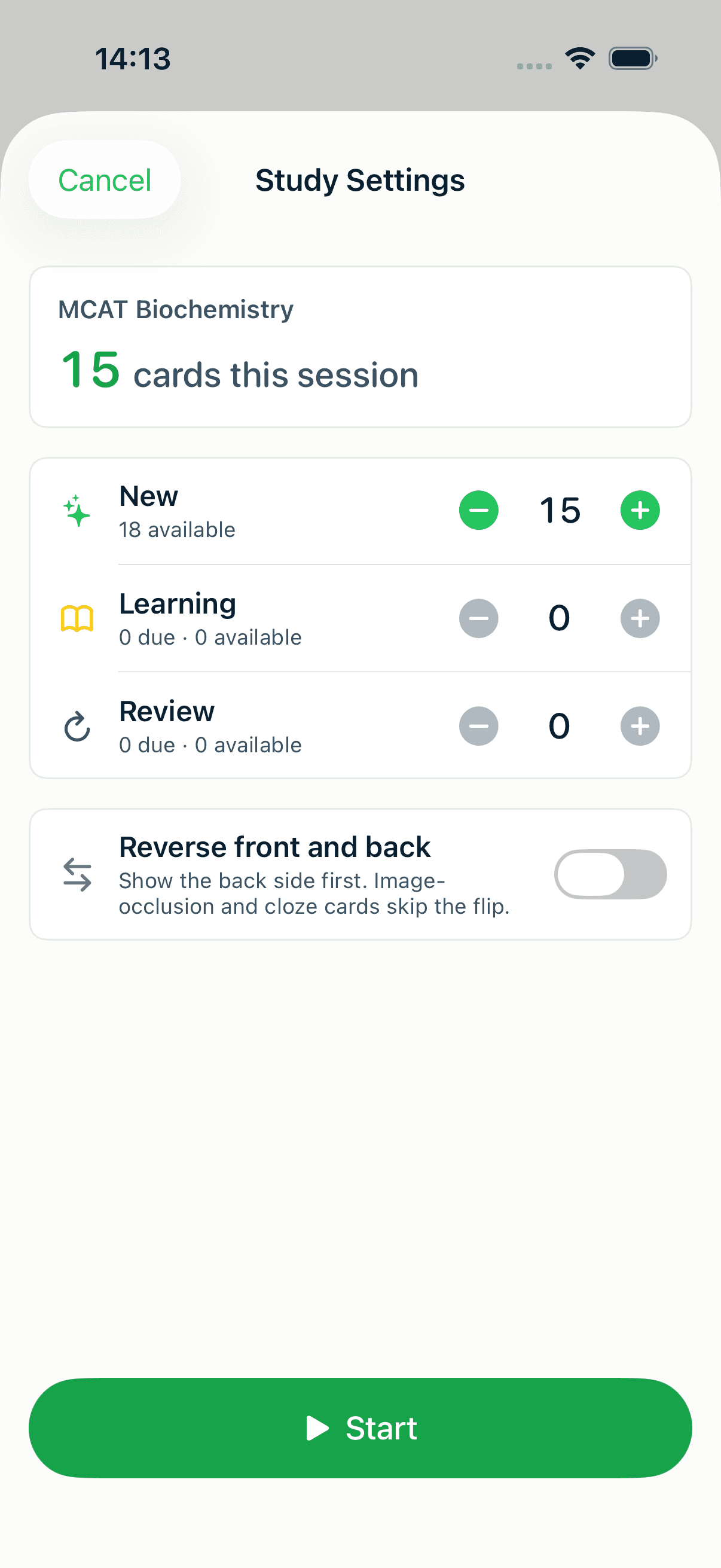
The sheet opens at a sensible daily plan rather than dumping every card on you at once. You'll see how many new, learning, and review cards are queued, with the available pool shown as headroom. If you have extra time today, dial the numbers up; if you're short on time, dial them down. Tap Start when it looks right.
This per-session control is the difference between a study habit you keep and one you abandon. Ten focused minutes a day beats a 90-minute cram you dread.
Step 3: Review and rate honestly
Each card shows the front. Recall the answer in your head — actually try, don't peek — then tap the card to flip it and check.
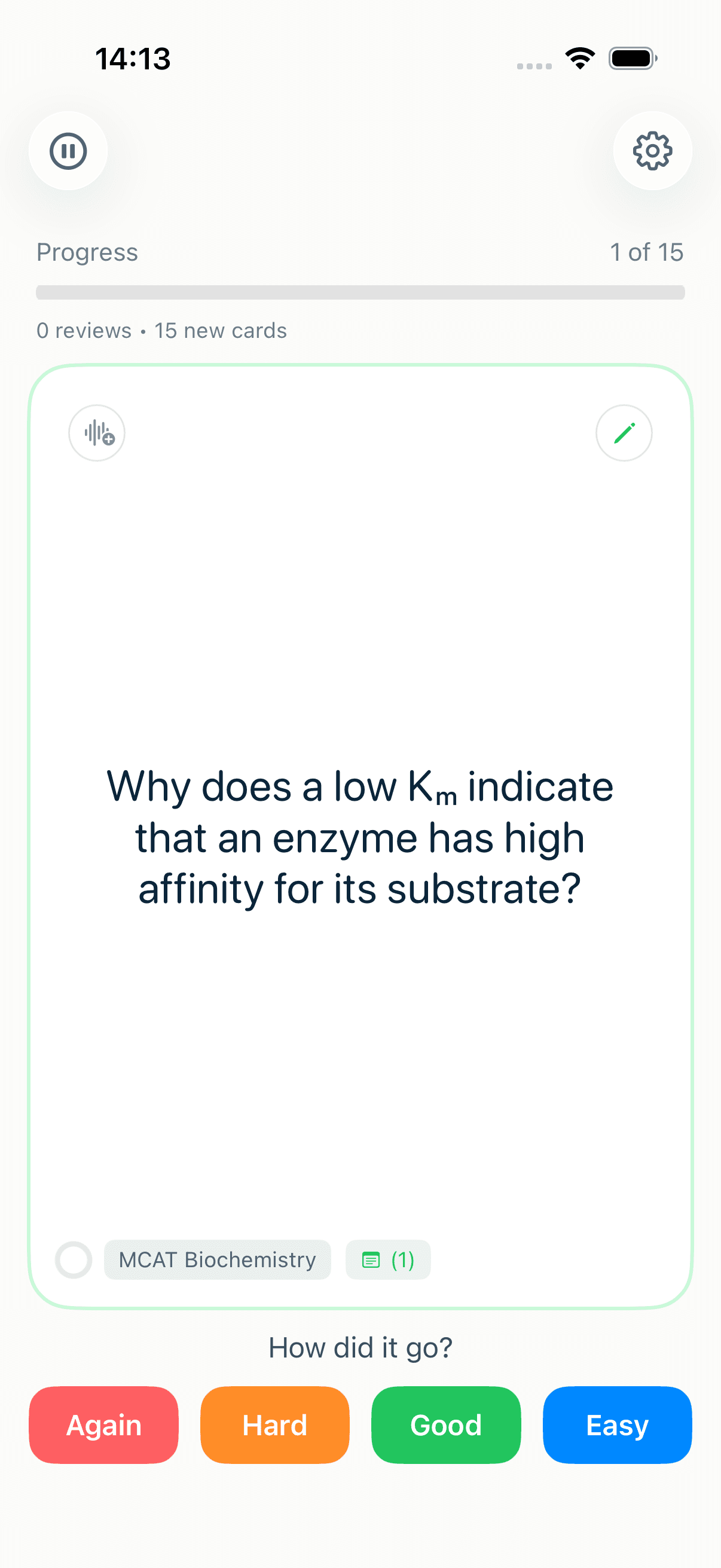
Once you've committed to an answer, tap the card to reveal the back.
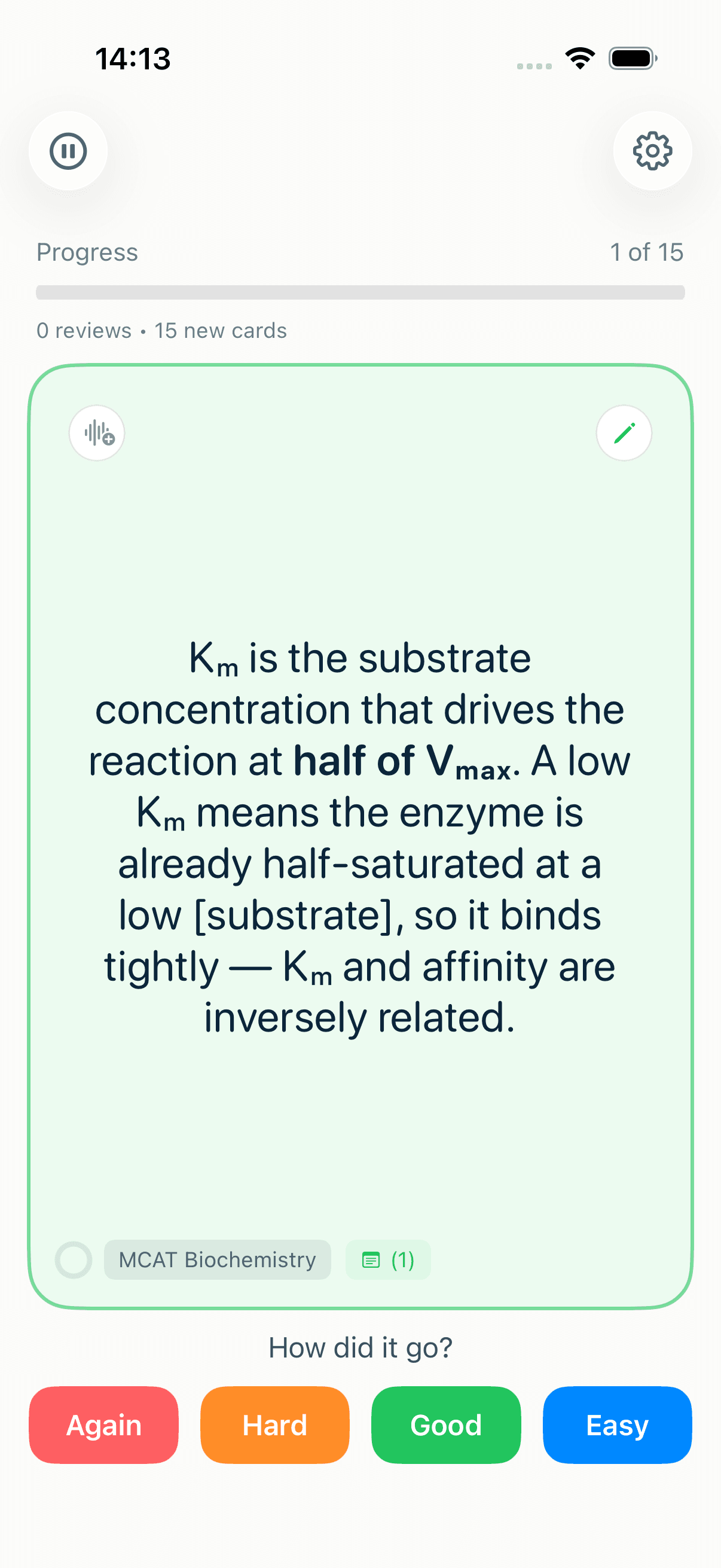
Now rate how it went with one of four buttons. This rating is what drives the schedule, so be honest:
- Again — you forgot it. The card comes back soon, in the same session.
- Hard — you got it, but it was a struggle. Next interval grows only a little.
- Good — you recalled it with normal effort. The interval grows comfortably.
- Easy — it was effortless. The interval jumps further out so you don't waste time on it.
MintDeck uses FSRS, the current state-of-the-art scheduling algorithm, to turn those ratings into the optimal next review date for every card — showing you each one right around the moment you'd otherwise forget it. That's the entire point of spaced repetition, and it's why honest ratings matter more than fast ones. If you're curious how the scheduling actually works, the FSRS deep-dive and the science of spaced repetition cover it.
Don't rate "Good" out of optimism. If you barely remembered, tap "Hard" or "Again." Inflated ratings push cards too far into the future and you'll forget them before the next review.
Your cards can hold more than plain text
A flashcard doesn't have to be a one-word question and a one-word answer. MintDeck lets you structure genuinely complex material — and it all renders right inside the study session, for free:
- Math and science formulas written in LaTeX, rendered cleanly instead of shown as raw code.
- Markdown formatting — bold, italics, and lists to organize a longer answer.
- Notes and mnemonics attached to a card, one tap away while you study.
- Images and audio, plus tags and folders to keep a large deck navigable.
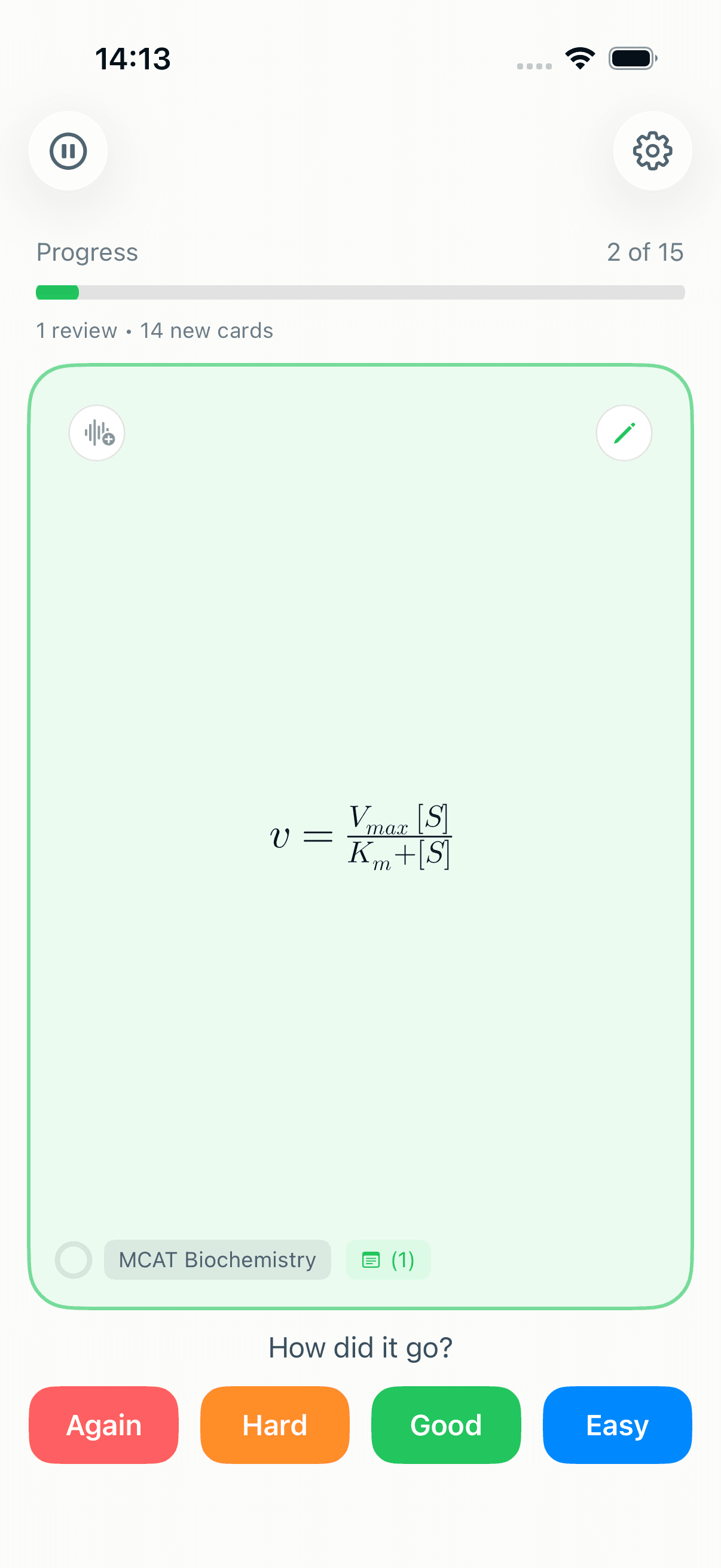
That's the difference between flashcards as a flat list of facts and flashcards that capture how a subject actually fits together — formulas, mechanisms, and the memory hooks that tie them down.
Step 4: Study hands-free with Audio Study
Some of the best study time is time you can't look at a screen — commuting, walking, doing dishes. Audio Study plays your cards aloud so you can review without touching the phone.
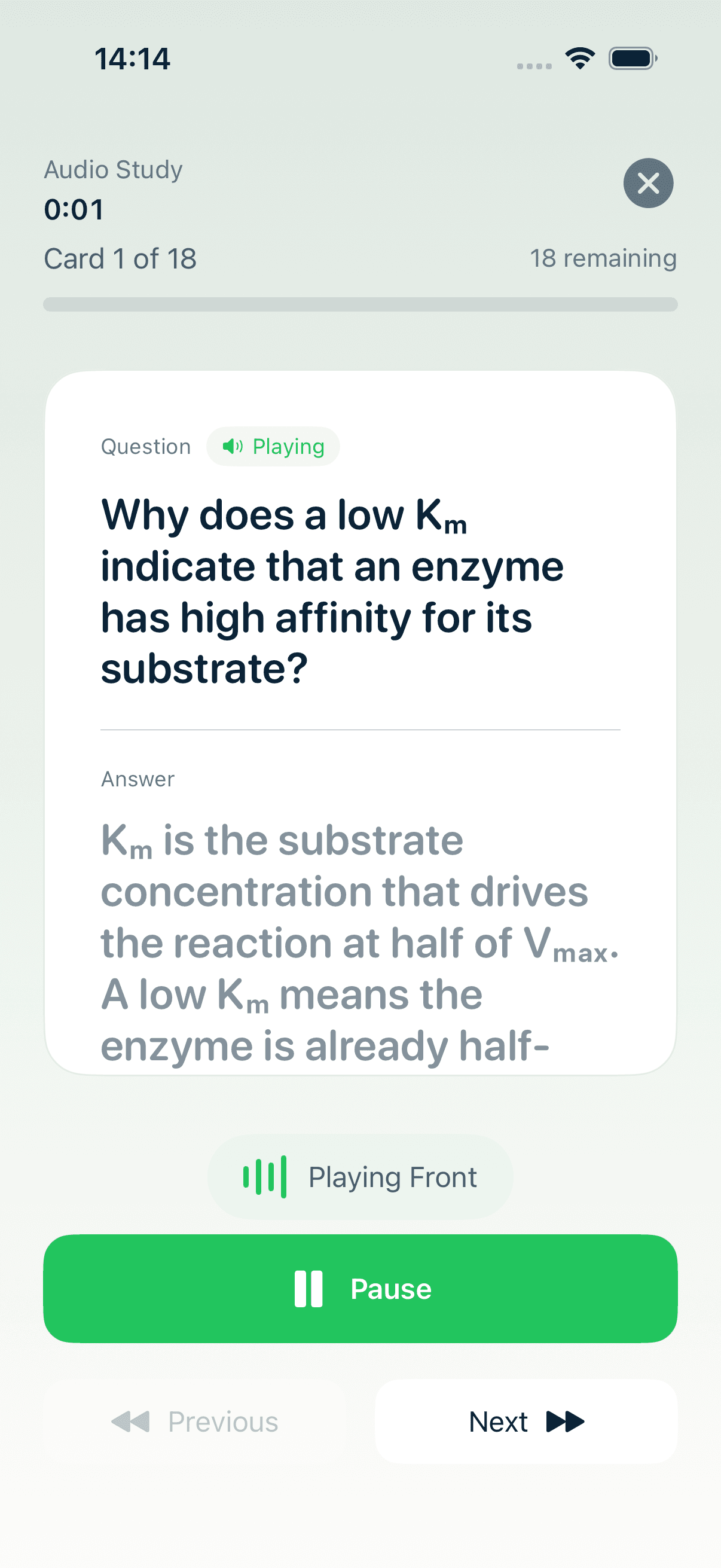
Open a deck, choose Audio Study, and it reads the front, pauses, then reads the back. The on-device voices are free — no credits needed. (Premium AI voices are available if you want them, but the standard voices cost nothing and work offline.)
It's a genuinely different way to study, and it stacks: review visually when you can, and let audio cover the in-between moments.
Step 5: Sync across your devices
Sign in and MintDeck syncs your decks and progress through iCloud, free, so the deck you studied on your phone at lunch is up to date on your iPad that evening. There's no separate account to manage and no sync paywall — it uses your existing Apple account.
What costs credits (so you're never surprised)
To keep this guide honest: the only paid features are AI deck generation (turning a topic, PDF, or photo into a finished deck) and premium AI voices. New accounts get 10 free credits to try them. Everything in the four steps above — building decks, FSRS review, audio study, sync — never spends a credit.
So if you bring your own cards (typed, CSV, or imported from Anki) and study them, you can use MintDeck indefinitely without paying anything.
Getting started right now
The fastest way to see it work is to do it: create a deck, add five cards, tap Study, and rate them. Five minutes from now you'll have a real spaced-repetition schedule running — for free.
If you later want to skip the typing, AI generation can build a deck from your notes in seconds (that's the optional, credit-based part) — there's a step-by-step guide to making flashcards with AI when you're ready. And for the study habits that get the most out of spaced repetition, the guide to proven study techniques is a good next read.