Best Flashcard App for Law Students in 2026 (Bar Exam + LSAT Prep)
Law school is one of the most memorization-intensive graduate programs you can choose. Between mastering legal terminology for 1L courses, memorizing the elements of hundreds of rules for the bar exam, and drilling logic games for the LSAT, flashcards are not optional — they are survival equipment.
But not all flashcard apps handle the unique demands of legal study well. Law students need an app that can manage thousands of cards across multiple subjects simultaneously, schedule reviews intelligently so you are not drowning in cards you already know, and ideally help you create decks faster from dense case briefs and outlines.
This guide compares the top flashcard apps for law students in 2026, with a focus on what actually matters for legal study: scheduling algorithm quality at scale, AI-powered deck creation, and cost.
Why the Scheduling Algorithm Matters for Law School
If you are managing 500 cards for Contracts, 400 for Torts, 600 for Constitutional Law, and 2,000+ for bar prep — all simultaneously — the scheduling algorithm your app uses determines whether you spend your review time efficiently or waste hours on material you already know.
Most flashcard apps still use SM-2, a scheduling formula created in 1987. SM-2 uses fixed intervals and does not adapt to how quickly or slowly you personally forget material. It was groundbreaking forty years ago, but modern research has produced significantly better alternatives.
FSRS (Free Spaced Repetition Scheduler) is the current state of the art. Developed by Jarrett Ye and trained on hundreds of millions of real review records, FSRS models your individual memory patterns and predicts with high accuracy when you will forget a specific card. For law students reviewing thousands of cards across multiple subjects, the difference between SM-2 and FSRS is material — you spend less time on rules you have already internalized and more time on the elements you are actually likely to forget.
MintDeck — Best Overall for Law Students
Price: Free (core studying, FSRS scheduling, audio study). AI generation uses credits (10 free included).
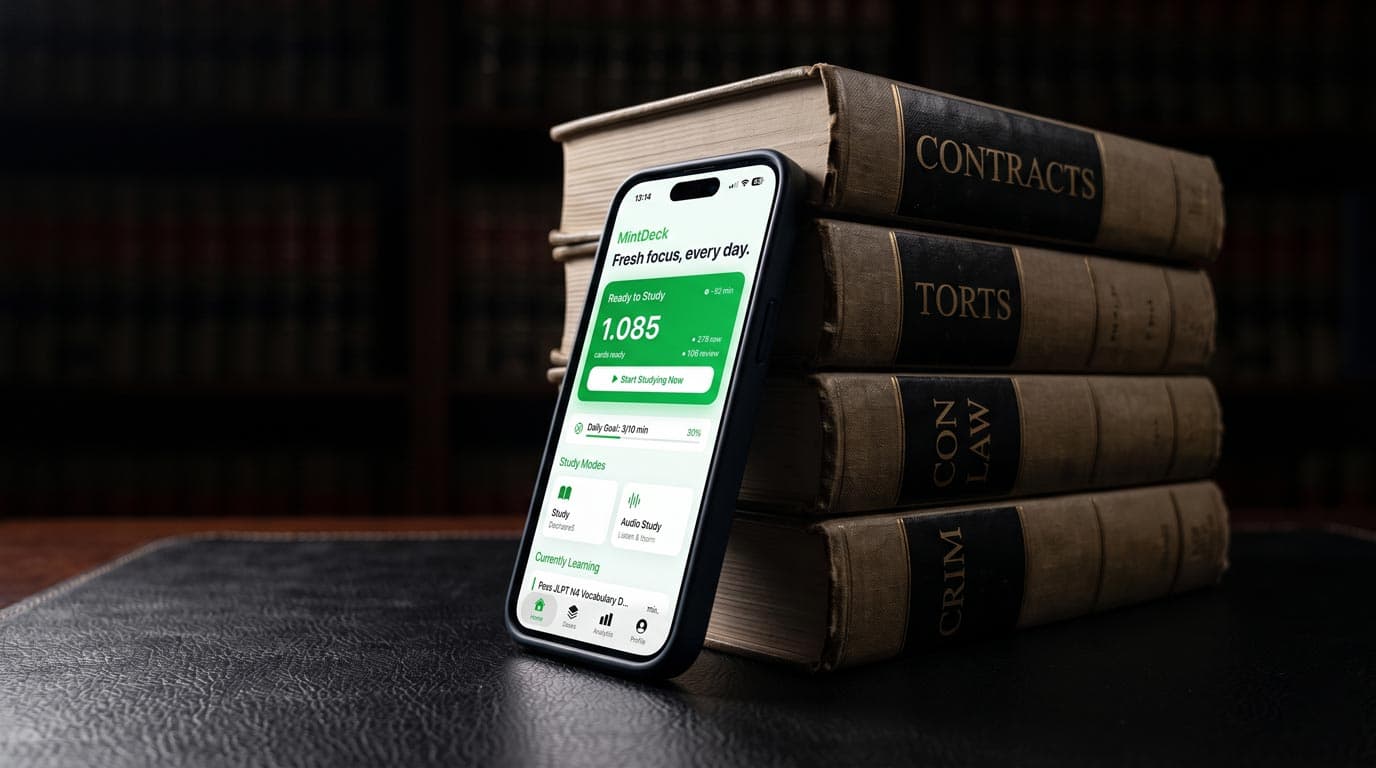
MintDeck is a modern iOS flashcard app built natively on FSRS. Unlike apps that bolted FSRS onto an existing SM-2 system, MintDeck was designed around the algorithm from day one, which means scheduling accuracy applies to every card from the moment you start studying.
For law students specifically, MintDeck offers several advantages:
AI deck generation from case briefs and outlines. Paste a section of your Contracts outline, a case brief, or a page from your bar prep materials, and MintDeck generates a structured flashcard deck in about 30 seconds. The AI extracts key rules, elements, and definitions automatically. You should always review and edit the output — AI can miss nuances in legal reasoning — but it eliminates the hours of manual card creation that most law students either endure or skip entirely.
Free audio study mode. MintDeck includes on-device text-to-speech in five languages at no cost. For law students, this means you can drill legal terminology, rule elements, and case holdings hands-free during your commute or while exercising. The audio is generated locally on your device and works offline.
FSRS scheduling at scale. Whether you are reviewing 200 cards for a single 1L course or managing 5,000+ cards across your entire bar prep, FSRS ensures each review session focuses on the material you are most likely to forget. This is where the algorithm advantage becomes most pronounced — at bar exam scale, efficient scheduling can save hours per week compared to SM-2.
Anki deck import. If you have existing .apkg flashcard decks (common in law school communities), MintDeck imports them directly with media and scheduling data preserved. Migration takes about two minutes.
Honest limitation: MintDeck is iOS only (no Android yet), and it does not have a community-shared deck library like Anki. You create your own decks or import existing .apkg files.
Anki (AnkiMobile) — Most Customizable, Steepest Learning Curve
Price: Free on desktop. AnkiMobile (iOS) is $24.99 one-time.
Anki is the longstanding choice for serious flashcard users, including many law students. Since version 23.10, Anki supports FSRS as an optional scheduler, making it technically comparable to MintDeck on algorithm quality.
Anki's strength is its add-on ecosystem and community. There are shared decks for bar exam topics, law school courses, and LSAT prep created by other students. The level of customization — card templates, scheduling parameters, filtered decks — is unmatched.
The trade-off is complexity. Setting up Anki optimally requires significant time: choosing the right scheduler settings, configuring note types, installing add-ons, and understanding deck structure. For 1Ls already overwhelmed with reading assignments, the setup friction is a real barrier. AnkiMobile's $24.99 price is also notable — it is the most expensive flashcard app on iOS.
If you enjoy configuring your tools and want maximum control, Anki is hard to beat. If you want to start studying quickly without a setup phase, it is not the best fit.
Quizlet — Largest Content Library, Shrinking Free Tier
Price: Free tier available. Quizlet Plus is $2.99/month ($35.88/year).
Quizlet has the largest library of user-created flashcard sets, including many for law school courses and bar prep topics. The ability to search for and study pre-made decks is Quizlet's primary advantage.
However, Quizlet's free tier has contracted significantly in 2026. Learn mode — which was the core adaptive study feature — is now gated behind Quizlet Plus at $2.99/month. Practice Tests, previously free, are also paywalled. The free tier essentially limits you to basic flashcard flipping without intelligent scheduling.
More importantly for law students: Quizlet does not use FSRS or any comparably advanced scheduling algorithm. Its adaptive learning mode uses a proprietary system that is less sophisticated than FSRS at managing large card volumes. At bar exam scale, this matters.
Quizlet works well for quick review of existing community decks. For sustained, long-term memorization across thousands of legal rules, it is not the most efficient choice.
Brainscape — Confidence-Based, Good for Visual Learners
Price: Free tier available. Pro is $9.99/month ($59.99/year).
Brainscape uses a confidence-based repetition system where you rate your understanding on a 1-5 scale after each card. It is intuitive and works reasonably well for moderate card volumes.
For law students, Brainscape offers curated "Certified" flashcard sets for bar exam subjects, created by legal professionals. These are well-organized and save significant deck creation time. However, the best content is behind the Pro paywall.
Brainscape's scheduling algorithm is proprietary and less rigorously validated than FSRS. At 5,000+ card scale (common for bar prep), the efficiency gap compared to FSRS-based apps becomes noticeable. The monthly subscription also adds up — $9.99/month over a three-year law school career is nearly $360.
Comparison Table
| Feature | MintDeck | Anki | Quizlet | Brainscape |
|---|---|---|---|---|
| Scheduling algorithm | FSRS (native) | FSRS (optional since v23.10) | Proprietary | Confidence-based |
| AI deck generation | Yes (from notes, briefs, outlines) | No (manual only, add-ons limited) | No | No |
| Free audio study | Yes (5 languages, on-device) | No (TTS add-on, desktop only) | No | No |
| Price (iOS) | Free (credits for AI) | $24.99 one-time | Free tier limited; $2.99/mo | Free tier limited; $9.99/mo |
| Import .apkg decks | Yes | Native format | No | No |
| Community decks | No | Yes (extensive) | Yes (largest library) | Yes (curated, mostly paid) |
| Offline support | Yes | Yes | Paid only | Paid only |
| Best for | AI deck creation + efficient scheduling | Power users who configure tools | Quick access to existing decks | Visual learners, curated content |
How to Study Law with Flashcards Effectively
Regardless of which app you choose, these principles will make your flashcard practice more effective for legal study:
Make atomic cards. Each card should test one rule element, one definition, or one holding. A card that asks "Explain the elements of negligence" forces recall of four concepts at once — create four separate cards instead. This is especially important for spaced repetition to work correctly, because the algorithm needs to track your memory for each concept independently.
Front-load card creation. The earlier in the semester you create cards, the more review cycles FSRS can schedule before your exam. Creating cards the week before finals defeats the purpose of spaced repetition. If manual creation feels too slow, AI generation can accelerate the process significantly — paste a case brief or outline section and edit the output rather than starting from scratch.
Separate decks by subject, review daily across all. Interleaving review across Contracts, Torts, and Con Law in the same session improves long-term retention compared to studying one subject at a time. FSRS handles this automatically — your daily review queue pulls from all decks based on predicted forgetting.
Use audio review for terminology. Legal terminology is dense and often Latin-derived. Audio review during passive time (commuting, exercising) is surprisingly effective for reinforcing term definitions and rule phrasings without requiring active screen time.
Start bar prep cards early. Many successful bar passers begin creating flashcards during 2L, not after graduation. The earlier you start, the more spaced repetition cycles compound. By the time you reach dedicated bar prep, your foundation cards are deeply encoded and your review load is manageable.
Which App Should You Choose?
If you want efficient studying with minimal setup and AI-powered deck creation from your outlines and briefs, MintDeck is the strongest choice for law students in 2026. FSRS scheduling is built in from day one, audio study is free, and you can turn dense legal material into study-ready decks in seconds rather than hours.
If you prefer maximum customization and access to community-shared law school decks, Anki remains excellent — just expect a longer setup phase and a $24.99 upfront cost on iOS.
If you primarily need access to pre-made flashcard sets and do not mind a monthly subscription, Quizlet or Brainscape can work, though neither offers the scheduling efficiency of FSRS at bar exam card volumes.
The bar exam tests recall of thousands of rules under time pressure. The flashcard app you choose should be optimized for exactly that — efficient, algorithm-driven review at scale. That is what FSRS was built for.
Start studying with MintDeck — free on the App Store →
Compare apps: MintDeck vs Anki · MintDeck vs Quizlet
Related professional exam prep: CFA Level 1 flashcard apps · PA school flashcard apps · Med student flashcard apps