
"Free" in app marketing almost always comes with an asterisk. So let's be specific about MintDeck's. The complete study engine — building decks, importing them, reviewing them with spaced repetition, hands-free audio, and syncing across your devices — is free and unlimited, no asterisk. Credits exist for exactly one thing: optional AI generation, which you never have to touch.
This is the honest, line-by-line breakdown so there are no surprises.
The short version
Free, forever, unlimited: everything you do with your cards.
Costs credits: asking AI to make or enrich content for you.
If you bring your own cards — typed, imported from a CSV, or imported from Anki — and study them, you can use MintDeck indefinitely without paying anything.
The free tier isn't a crippled trial. It's the whole spaced-repetition system: the same FSRS algorithm, the same audio study, the same sync. Credits don't unlock a "real" version — they just save you typing.
What's free
Everything here is free and has no usage limit:
- All studying — unlimited reviews with FSRS, the modern spaced-repetition algorithm.
- Importing your own cards — CSV import and Anki
.apkgimport, including your existing review schedule. - Making cards by hand — unlimited manual card creation.
- Images and audio you provide — add your own pictures and record or upload your own audio.
- Your own notes and tags — write notes, tag cards, organize freely.
- Math and formulas — LaTeX renders as properly typeset math at no cost.
- Image occlusion — both importing occlusion cards and creating them in-app.
- Reverse cards — drill recall both directions with the per-session toggle.
- Folders — group related decks together.
- Sync across devices — iCloud sync of your decks and progress, using your existing Apple account.
- Hands-free Audio Study — with the free on-device voices ("On-Device" and "System Voiceover").
- Apple-Intelligence features — on a supported device (iPhone 15 Pro and later, or an M-series iPad), AI mnemonics and notes run on-device for free.
That's the entire core loop. None of it spends a credit.
What costs credits
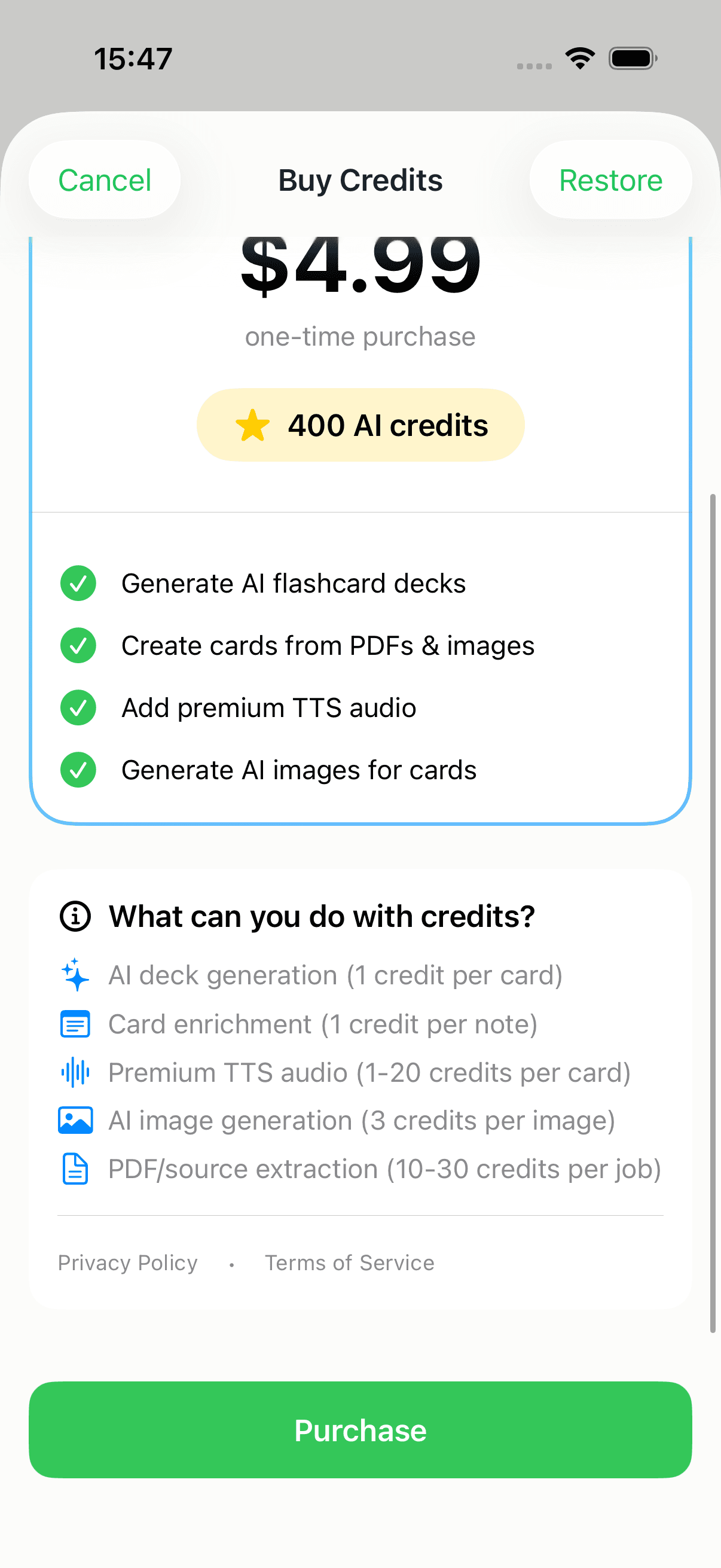
Credits pay for cloud AI — the features that generate or enrich content for you. Here's the in-app price list, exactly as the app shows it:
| Feature | Cost |
|---|---|
| AI deck generation (from a topic) | ~1 credit per card |
| Create cards from a PDF or image | 10–30 credits per job |
| AI image generation | 3 credits per image |
| AI card notes / enrichment | 1 credit per note |
| AI mnemonic suggestion | 0.5 credits (free on Apple-Intelligence devices) |
| Premium "Cloud Generation" voices | from 1 credit per card |
A couple of honest caveats:
- Deck generation is measured, not flat. It's billed on the actual AI work, so a deck of dense, detailed cards costs a little more than a deck of one-liners. "About 1 credit per card" is the rule of thumb.
- PDF/source extraction varies with length — a two-page handout sits near the bottom of the range, a long chapter near the top.
- Premium voices are optional. Audio Study already works for free with on-device voices. The paid "Cloud Generation" voice is just a higher-quality option, billed per card you generate it for.
You always see the cost before you spend
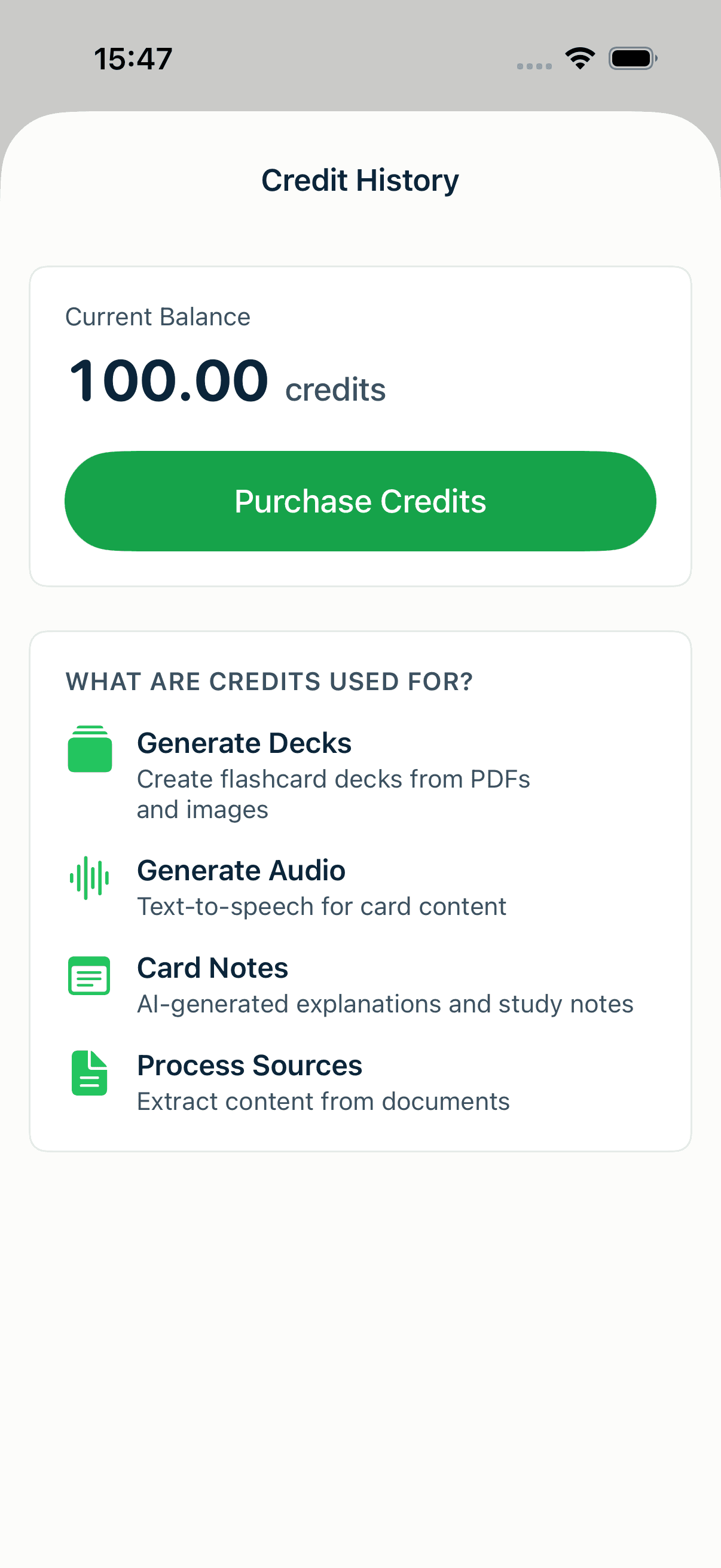
MintDeck never silently drains your balance. Every credit-spending action shows a "Confirm Operation" sheet first — the operation, the estimated cost, and your current balance — and nothing is charged until you tap confirm. Credits are tracked server-side, so the number is the same on every device you sign in on.
You can check your balance and full transaction history any time from the credit indicator on the Decks screen:
Getting and topping up credits
You start with 10 free credits. New accounts get them automatically — enough to AI-generate your first small deck and see whether the AI features are for you.
If you want more, there's a single, simple one-time pack — no surprise auto-renewals:
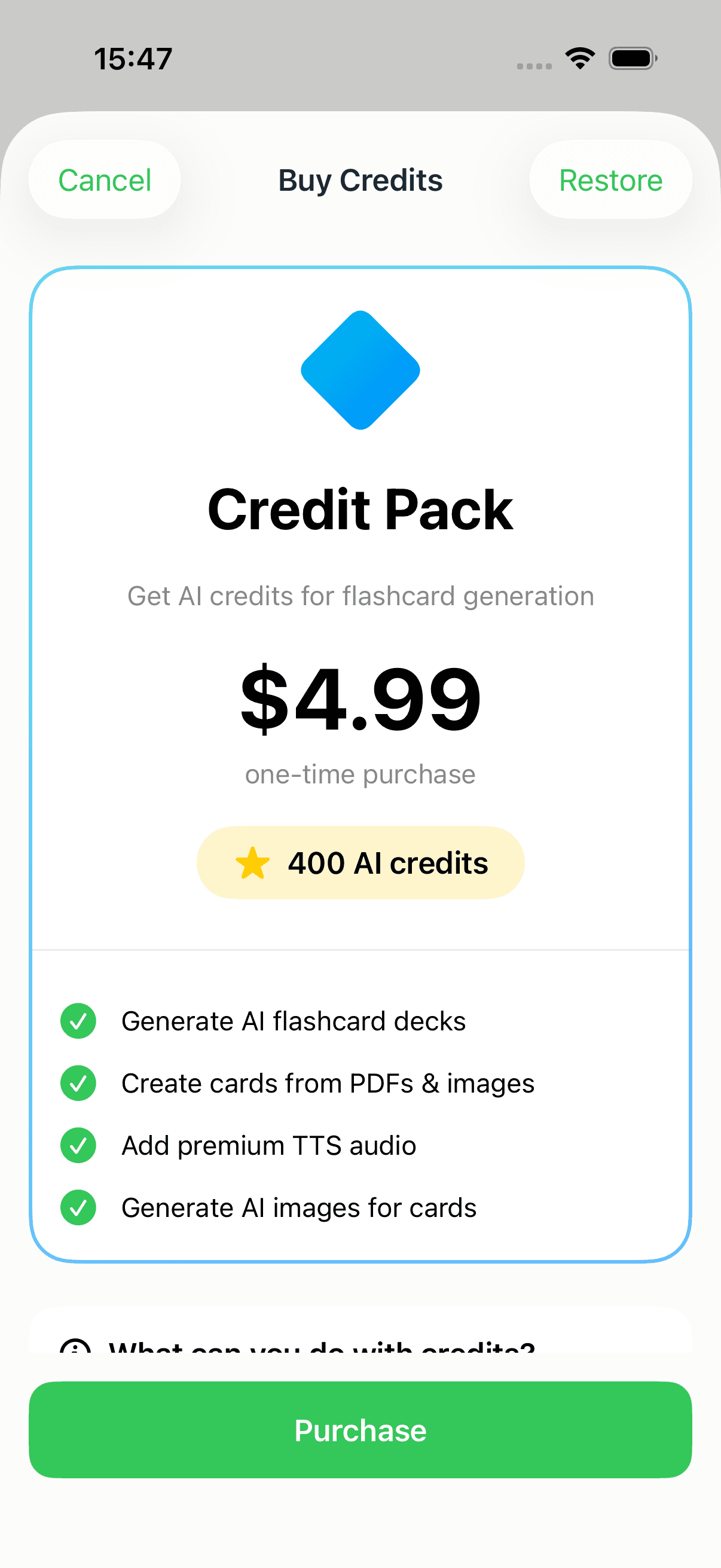
It's $4.99 for 400 AI credits, one-time — roughly a cent per credit. The same screen lists exactly what those credits buy, so the pricing is never hidden behind a tap:
If you lean on AI regularly, subscriptions are better value — they grant monthly credits that renew automatically (Basic 200, Standard 400, Pro 600 credits per month) plus extra features. But they're entirely optional; the one-time pack and the free tier cover most people.
Pro Tip
Don't buy credits "just in case." Study free for a week first. If you find yourself wanting AI to draft a deck from your notes or a PDF, then grab the pack — your 10 welcome credits are usually enough to decide.
So, do you ever need to pay?
No. If you type your own cards, import a CSV, or bring an Anki deck — and then study, sync, and use audio — you will never hit a paywall. Credits only ever buy you a shortcut: letting AI write the cards instead of you.
Start free. Top up only if you want the AI. That's the whole model.
Where to go next
New here? Walk the complete free path in how to study for free with MintDeck. Curious what the paid AI actually does? See how to make flashcards with AI. And to find the credits screen and everything else, the settings guide maps it out.